Files and folders
Find, move, copy, rename, sort and tidy. Batch work described in a sentence instead of done a file at a time.
Features
No roadmap items dressed up as features. If something is planned rather than finished, it is in the last section and labelled as such.

Talking to it
Caelia holds an open voice channel. You can cut in halfway through its answer, change the request, or go quiet and come back - it keeps the thread.
Delegating
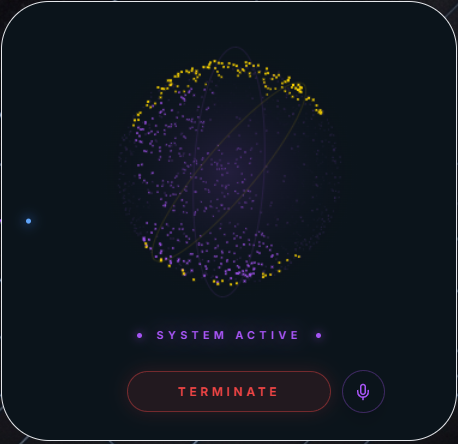
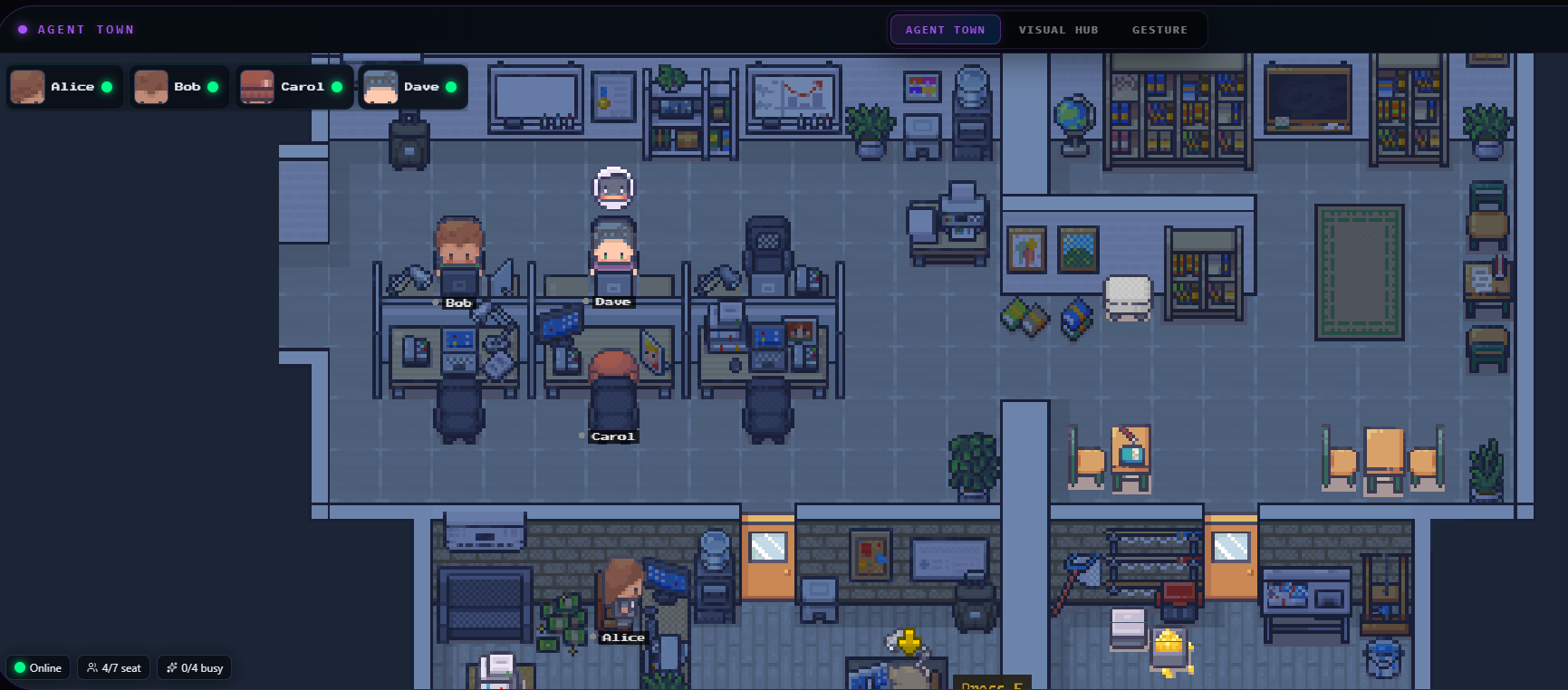
Research, a batch of files, a report to assemble - Caelia passes it to a sub-agent. You get the desk back immediately and can watch which worker took it and where it has got to.
Hands on the machine
Find, move, copy, rename, sort and tidy. Batch work described in a sentence instead of done a file at a time.
Open, close and switch between programs, and drive the ones already on screen.
Volume, brightness, Wi-Fi, Bluetooth, power and display - changed by asking rather than by hunting through menus.
Take a screenshot, or share your screen and camera so Caelia can look at what you are looking at.
Reads what you copied and writes back what you need next.
Move the pointer, click and scroll with your hand through the webcam. Useful when you are not at the keyboard.
Talks to an Arduino or similar board over the serial port - read a pin, switch something on.
Reading and making things
Reads them and pulls out what you need - the figures in a report, the clauses in a contract, the summary of a long thread.
Notes, tasks and your agenda, kept as plain Markdown files in a folder on your PC. Open that folder any time and they are just files - no database, no export needed.
No extra subscription and no search API key of your own. Results come back with their sources.
Opens real pages, reads them, fills forms, and brings back what you asked for with the link it came from. There is a browser window inside Caelia too.
Reads a project, explains it, writes and edits code, runs commands and handles git.
Explain a process out loud and get a clean diagram of it, ready to save or print.
Describe a picture and get one, then zoom, pan and export it. Needs a model provider whose image tier is switched on - not every free tier is.
Study Desk
Add the PDF of a book the child already studies. Caelia reads its pages, proposes the chapters, and teaches from those pages only.
Every explanation names the page it came from, in the child's own language. Practice questions come from the book, and hints are counted rather than hidden.
Progress counted from what was actually done - no grade, no rank, no comparison with another child. The book and the record stay on your computer.
Talking and reaching it
Say what you want in an ordinary sentence. Replies come back spoken as well as written.
Say the word and it is listening. Switch it off entirely if you would rather it did not.
Message yourself a job from anywhere. Voice notes are transcribed. Replies land in the same chat.
Ask Caelia to message a contact by name and it goes out from your own linked WhatsApp.
Keep the people you message often, so "tell Ahmed I am running late" is a sentence that works.
What it knows about you
Keeps what matters about you and your work between sessions - and you can read, edit and delete any of it.
Write down a routine once, and Caelia knows when to use it after that. Your own procedures, in your own words.
Point it at the folders that matter - a project, your documents, your accounts - and it works with what is in them.
Formal, blunt, warm, or your own written brief. The voice and manner are yours to set.
Chat history is kept on your machine, and you decide how much of it is kept. Clear it whenever you like.
Agents that keep working
Separate jobs running side by side in a workspace you can watch, while you keep using the computer for something else.
Give an agent its own model, so heavy background work can run on a cheaper one than the conversation you are having.
Each agent says what it did and where it stopped. Step away and the report is waiting when you return.
Your choice of model
Gemini, OpenRouter, ChatGPT, Google Vertex AI or Caelia Cloud. Switch whenever you like without reinstalling anything.
Connect a ChatGPT account instead of pasting an API key, if that is the subscription you already pay for.
Add a model by name, or point Caelia at another OpenAI-compatible endpoint, and it appears in the picker beside the rest.
Turn on thinking and you can read the working behind an answer instead of taking it on trust.
On your screen
70+ business and world-news sources, curated with the clutter left out, playing inside the app while you work.
Ask for a song or a video and it opens in a small player you can move around the screen.
Results appear in small glass panels over your desktop, so you can read them while you work.
Headlines and the weather for the next few days, gathered when you ask for them.
Keeping it going
Connect additional tool providers so Caelia can reach systems it does not know about out of the box.
New versions download quietly and install when you close the app. Nothing to fetch by hand.
Trading
Released and in the app. Unlocked by the trading module on your licence.
Caelia attaches to the MetaTrader 5 terminal you already run and are signed into - it never asks for your broker credentials. It reads the account, your broker's own symbols, live quotes and candles, and computes RSI, MACD, EMA, ATR and swing levels in code rather than asking a model for numbers.
Position size comes from the risk you set, and an order is shown to you in full - with what it risks - before anything reaches your broker. Nothing is sent without you pressing the button.
Describe a strategy in words - both directions, candlestick patterns, trend, moving-average crossovers, the indicators you name - and Caelia files it for you to approve. It runs in code, with a daily loss cap, a trade limit and a kill switch.
The desk also shows when the big economic releases are due, so a strategy can stand aside around them instead of trading into a rate decision.
Coming soon
Listed separately and labelled, because you are not paying for these today. When they land, they arrive as an update to the licence you already own.
Live prices, a watchlist, candles and the same named indicators - plus contract risk signals read from public records, each reported with the source that said it.
Exchange orders are prepared and shown to you in full before anything is sent. Caelia proposes; the confirmation is yours.
The expert signals you already receive - from a provider, a group, or a screenshot - parsed into a proper trade and checked against what the chart and the news actually say.
Every signal you receive gets recorded and followed up, so after a few weeks you can see which provider is actually worth paying for - with the sample size shown, not a verdict from four trades.
In more detail
The ones people ask the most questions about, written out properly rather than squeezed into a card.
Wake word or push-to-talk, natural sentences, spoken replies, and voice notes from your phone.
What it can actually touch on your machine, and the honest limit of what any assistant can do.
Background jobs running in parallel, and a workspace you can watch them in.
What never leaves your PC, what does, and why we do not call it offline AI.
One licence, one payment, everything above included.