Talk to your PC
Voice-first control with a wake word. A live channel, not press-and-wait dictation - interrupt it, change your mind mid-sentence, keep talking.
Caelia is a voice-first AI assistant for Windows that can open apps, work with files, control your browser, handle documents and delegate long tasks to AI agents - all from one desktop.
One-time licence · no subscription · no monthly fee
Not another chatbot
Most AI tools stop at text. You still open the folder, rename the files, click through the website, or write the email yourself. Caelia sits on the other side of that line.
Chat windows give you answers. Caelia gives you the work done.
“Find all invoices from July and organize them by client.”
“Open Chrome, find the cheapest flight, and show me the options.”
“Research this topic and prepare a report.”
Delegation
Give Caelia a job. It can delegate the work to specialised AI agents while you keep using your computer.
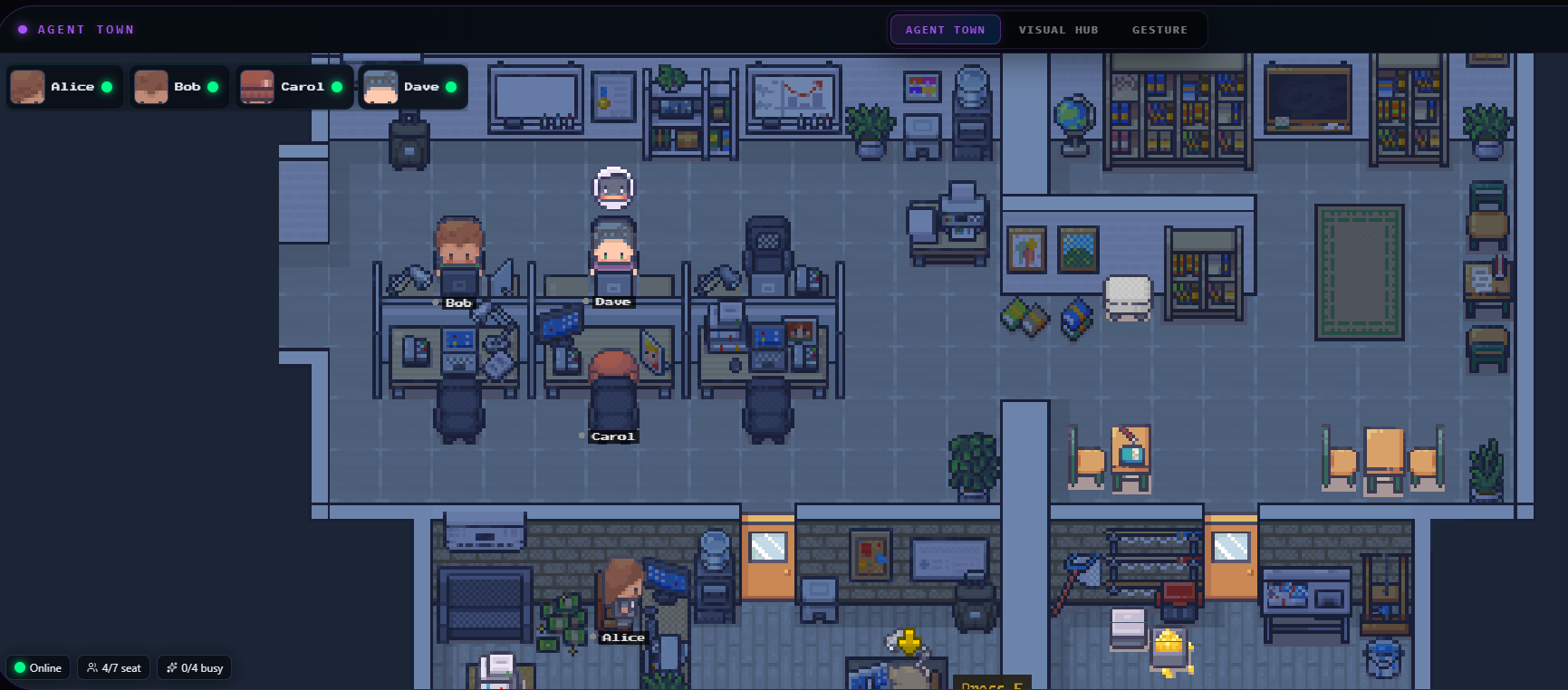
Long jobs go to a worker, not to a spinner. Watch them work in real time - who took the task, what they are on, and when it comes back.
What is inside
Voice-first control with a wake word. A live channel, not press-and-wait dictation - interrupt it, change your mind mid-sentence, keep talking.
Apps, files, folders, settings and the clipboard. The ordinary admin you would otherwise do a click at a time.
Opens pages, searches, fills forms and retrieves results - with the link attached, so you can check it.
Hand over the long jobs and they continue in the background while you carry on with your computer.
A live agent workspace and task status. You watch the work happen instead of guessing whether it is stuck.
Message yourself a job on WhatsApp from anywhere. Voice notes get transcribed, and the answer comes back in the same chat.
The Study Desk reads the PDF of their own textbook and teaches from those pages - with the page numbers shown, practice from the book, and a week a parent can print.
Getting started
One payment. You get a key.
Run the installer, paste the key on first launch, tell it your name. That is the whole setup.
Bring your own key - Gemini, OpenRouter, ChatGPT, Vertex AI or Caelia Cloud - or sign in with a ChatGPT account. Switch whenever you like.
Ask for something small first. Then give it the job you have been putting off.
Being straight about the model keys. Caelia does not resell AI credits. You connect your own provider account, so you pay the model directly and can see exactly what you are spending. Several providers have a free tier that is enough to try everything here.
Questions
Partly, and it is worth being precise. Caelia runs on your machine and the desktop automation is local. But the language model it thinks with lives at your provider, so anything involving understanding or writing needs an internet connection.
No. You talk to it in plain language - English, Urdu or a mix, which is how most people here actually speak.
Windows 10 and Windows 11, 64-bit. There is no macOS or Linux build today.
Release the licence from the old machine and activate on the new one. Message us if you no longer have access to the old PC and we will clear it for you.
What you ask the assistant goes to whichever model provider you connected, because that is what answers you. Your files stay on your computer; Caelia reads them locally and only sends the part a request actually needs.
Your computer already knows how to do the work. Give it someone to operate it.